
Having an accurate Facility GPS Location in Pulsara is important because it affects features like
ETA Calculation: Pulsara uses the facility's location to calculate the most accurate Estimated Time of Arrival (ETA) for patients currently in EMS transport.
EMS Destination Selection: The location changes the order in which your facility appears on the Transport Destination Selection list by location nearest to furthest.
Hospital Availability: View determines where your facility appears in the availability list in Mobile and Web, as well as on the Availability Map in Pulsara Web.
Incident Coverage: Determines your facility’s proximity to incidents and the ability to add patients to an incident or have your facility added to the incident by the incident owner.
Note: Updating Facility GPS location changes the location of your facility in Pulsara. Setting your location in Pulsara Web changes the location of the user/device that is currently logged into Pulsara Web.
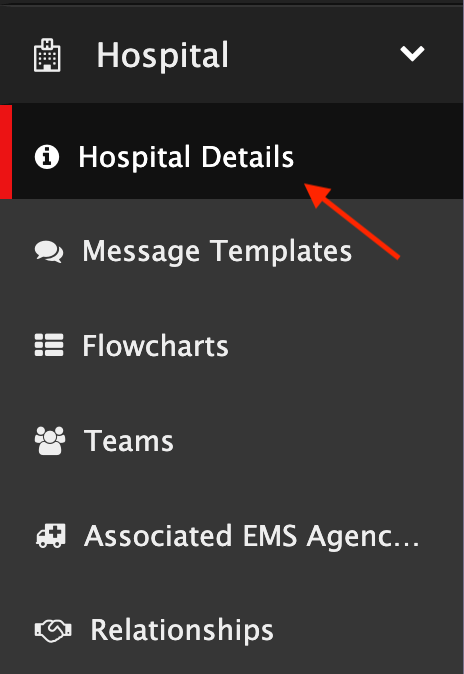
Facility admins are able to update the Facility GPS Location by navigating to Hospital Details
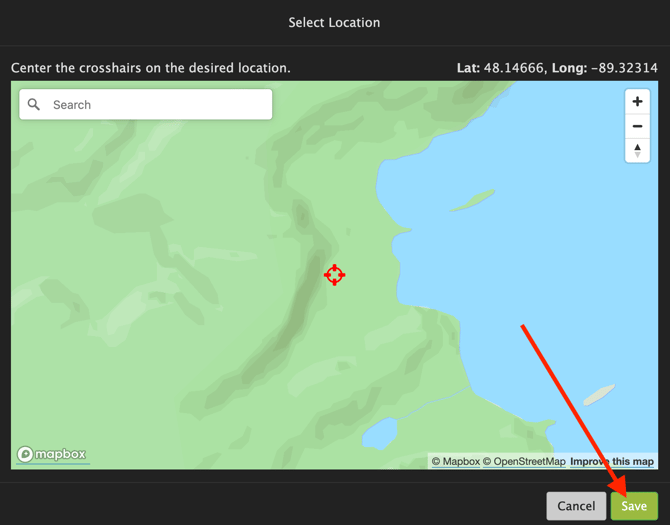
Select Location

Center the crosshairs on the desired location and select Save.
Note: Pulsara recommends putting the location on your Ambulance Bay / ER Door.
After changing the location, please contact Help@Pulsara.com letting them know that the facility location has been changed.