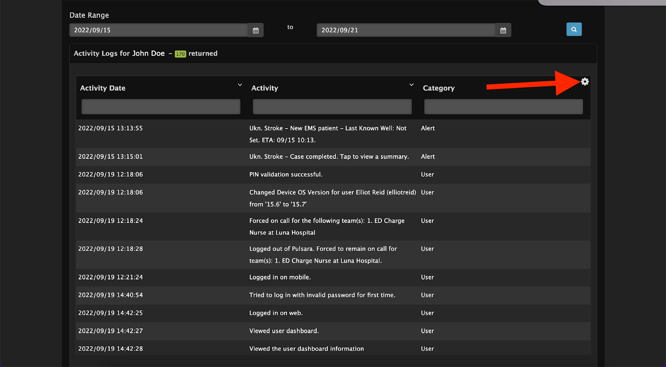
Pulsara provides two different types of logs: case-level logs and user-level logs. All information entered into or attached to a Pulsara case is logged and is accessible via Pulsara MANAGER as well as all actions taken by individual users.
Case Level Logs
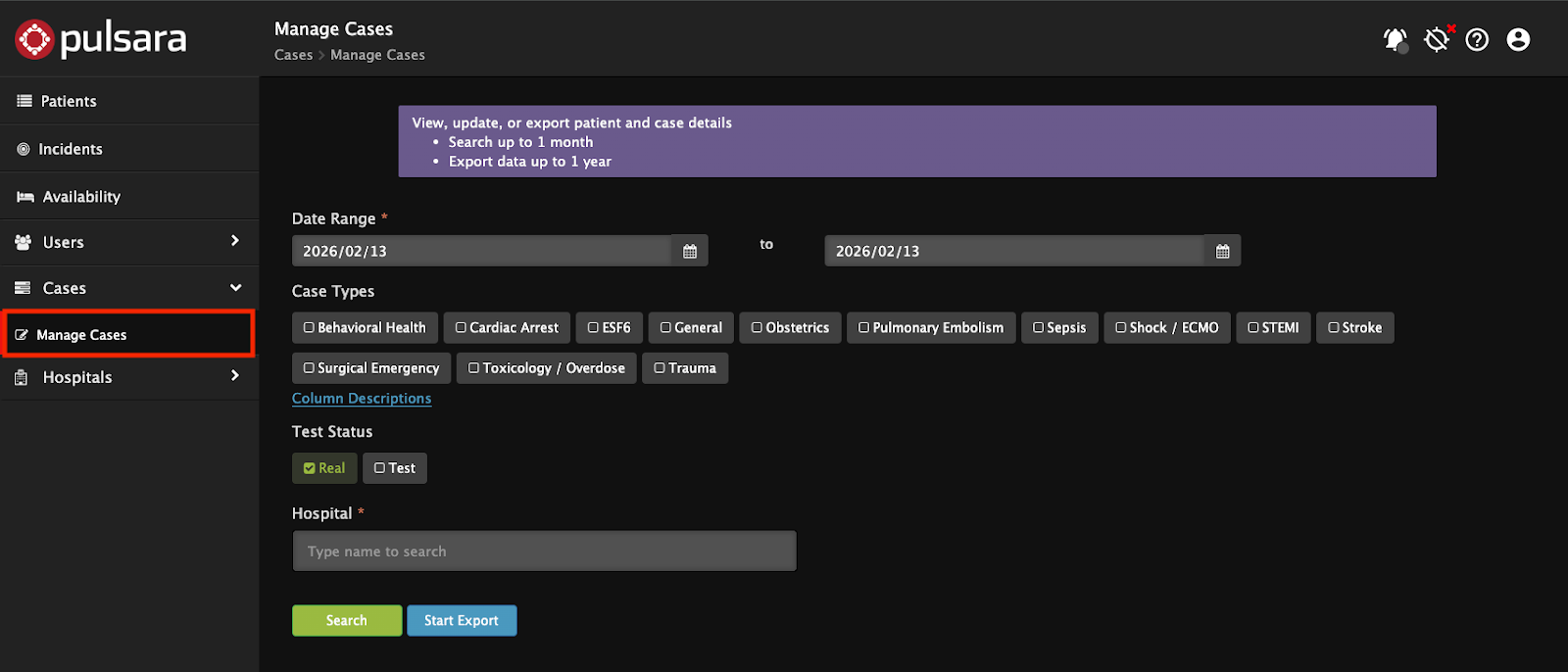
To access case logs as a Pulsara Administrator, log in to Pulsara MANAGER and navigate to Manage Cases from the left side menu. Search cases up to 1 month to review in Manage Cases or export into CSV up to 1 year. The only required filter is a date range - optionally select case types for further filtering.
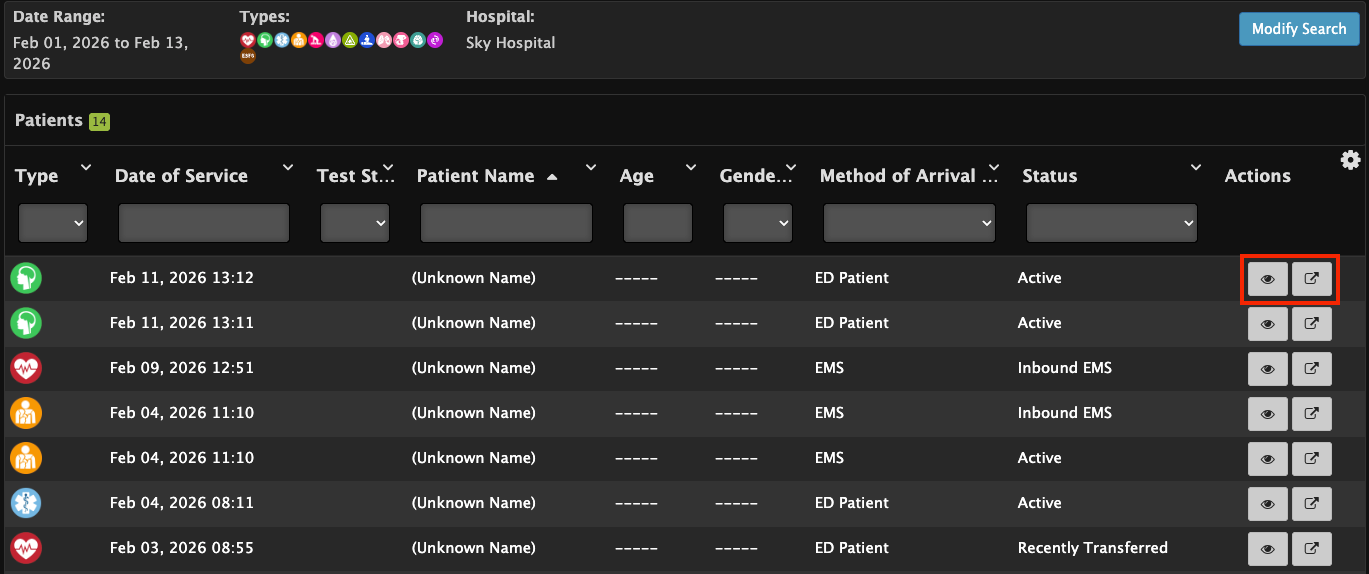
On the search results page, the eye icon will display case details, the arrow out icon will open the Pulsara Summary Report.
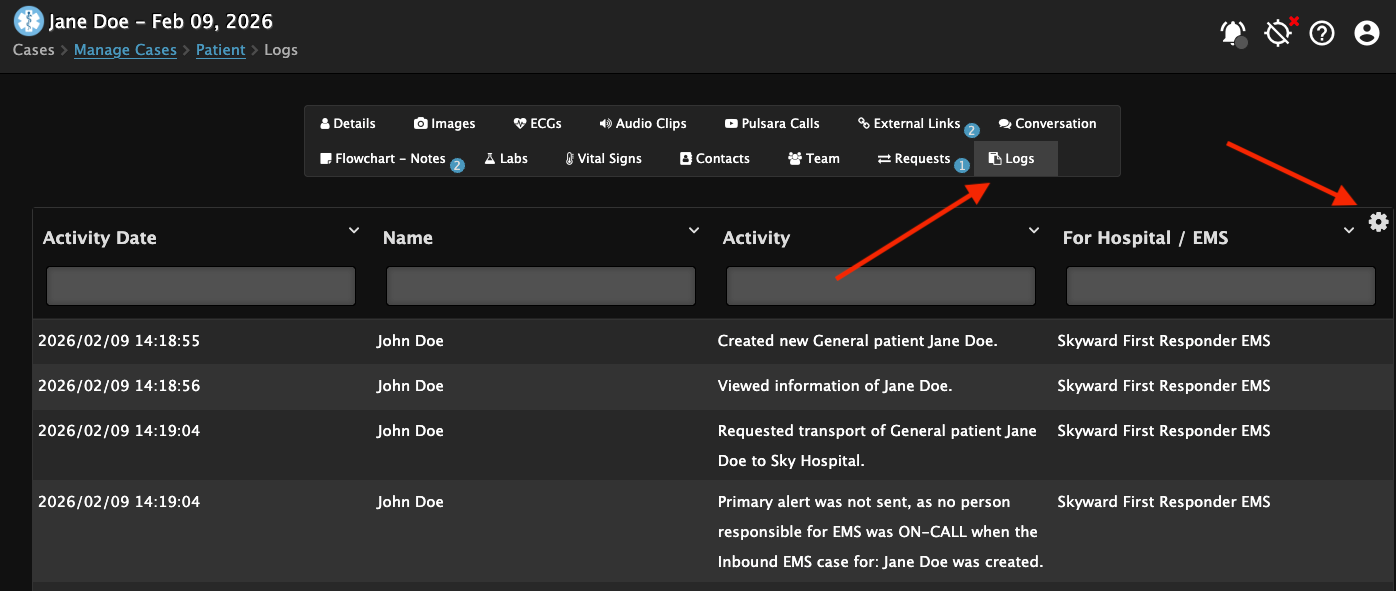
Within case details, the logs button will display a full case log. To export the data or to change the view, click the gear icon near the top left.
User Level Logs
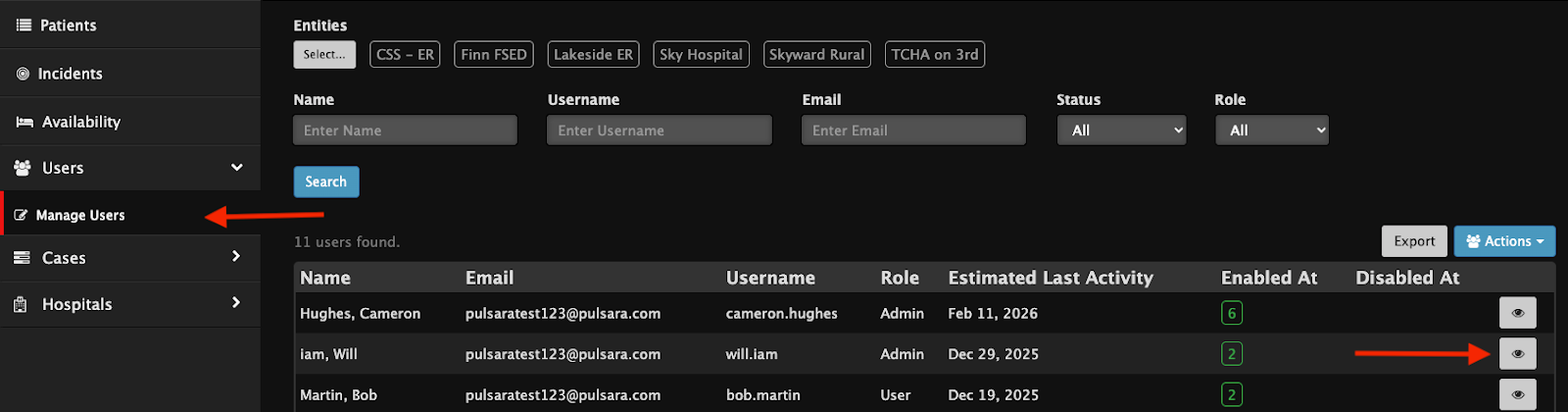
User Logs can be accessed by navigating to Users at the top of the left side menu, then selecting Manage Users. Filter by Name, Username, Email, Status (All, Enabled, Disabled), Role (All, Admin, or User) and Entity. Select the eye icon to open a user and then select activity log.

The log will appear for you to review. Activity date, Activity, and Category can be filtered by typing in the search box. Click the gear icon at the top right to change view options and to export the results as a CSV or PDF file.