
EMS Acuity Improvements
Overview:
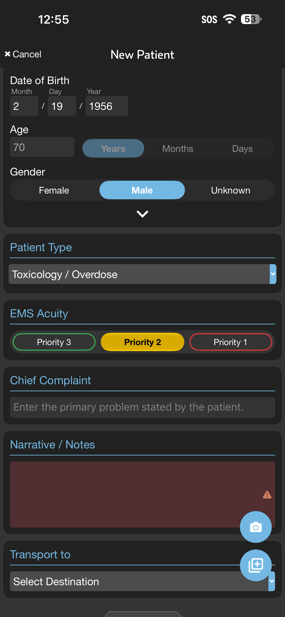
- An updated picker shows both acuity color and label
- This update highlights acuity more prominently, making it easier for teams to set and review
- EMS can now set acuity for all patient types in Pulsara
- The Acuity field has moved to appear just below Patient Type
Acuity unselected Acuity selected

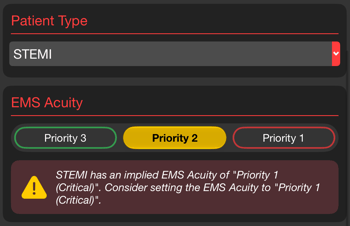
If an acuity setting conflicts with the patient type (e.g., "Priority 2" for a STEMI case), the app displays a warning while still allowing your selection.
Acuity Level Order
The order of existing Acuity lists has been updated so that values progress in severity from lowest acuity on the left to highest acuity on the right.
To modify the order of your acuity list, see the section below.
Acuity Administration
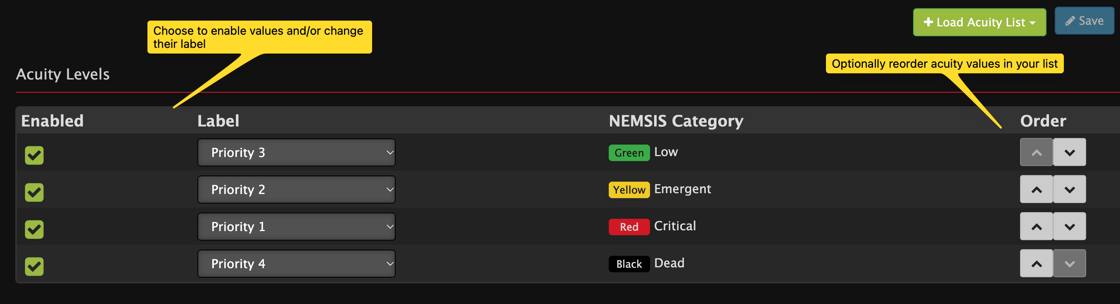
EMS agency admins can enable the feature choosing from a group of Acuity lists offered in the product. The following items can be modified in your acuity list:
- The items that are enabled in your list
- The label for each option in the list
- The order of items in the list
Incident Triage Condition is now Triage Category
To clarify its intended purpose, we have updated the name of Incident Triage Condition to Incident Triage Category (or Triage Category). This designation distinguishes patient triage within an incident from routine EMS Acuity for non-incident patients.
Customers who have repurposed the Triage Condition feature to capture EMS Acuity are encouraged to start using the updated EMS Acuity feature for setting and communicating acuity.
Timing
- This change will be available in Pulsara Web on November 17th and Pulsara Mobile version 80 starting on November 18th
Helpful Resources
- See this article for an overview of EMS Acuity in Pulsara
App Rotation on iPad
Details:
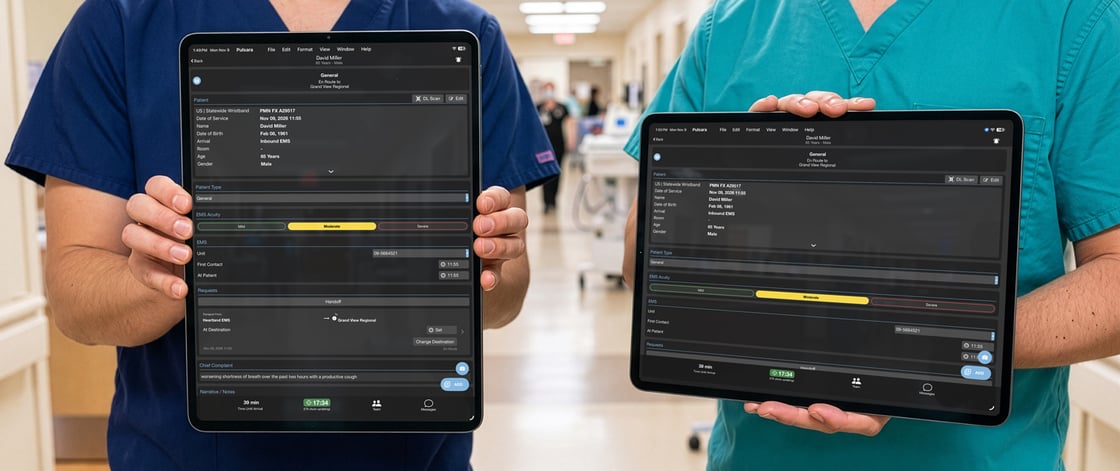
- The application now supports rotating between portrait and landscape orientation on all screens in the app when running on an iPad
- Easily change device orientation to use Pulsara in whatever orientation is most helpful for creating and viewing patients
- If your workflow requires switching between apps, Pulsara now more easily accommodates any orientation that may be required by other apps. This means less rotation of your device when switching between apps.
Who’s Impacted/Feature Rollout
- Any Pulsara mobile iPad user running Pulsara version 80 or higher
- This change will become available in Pulsara version 80 starting on November 18th